패스트캠퍼스 파이썬 웹개발 올인원 패키지 후기(11)
파이썬 웹개발 올인원 패키지 11 일차 후기 겸 학습기록 입니다.
오늘은 지난시간에 이어 파이썬에서 어떻게 파일을 읽고 쓰는지 배워보았습니다!
파이썬 파일 읽기, 쓰기 2번째
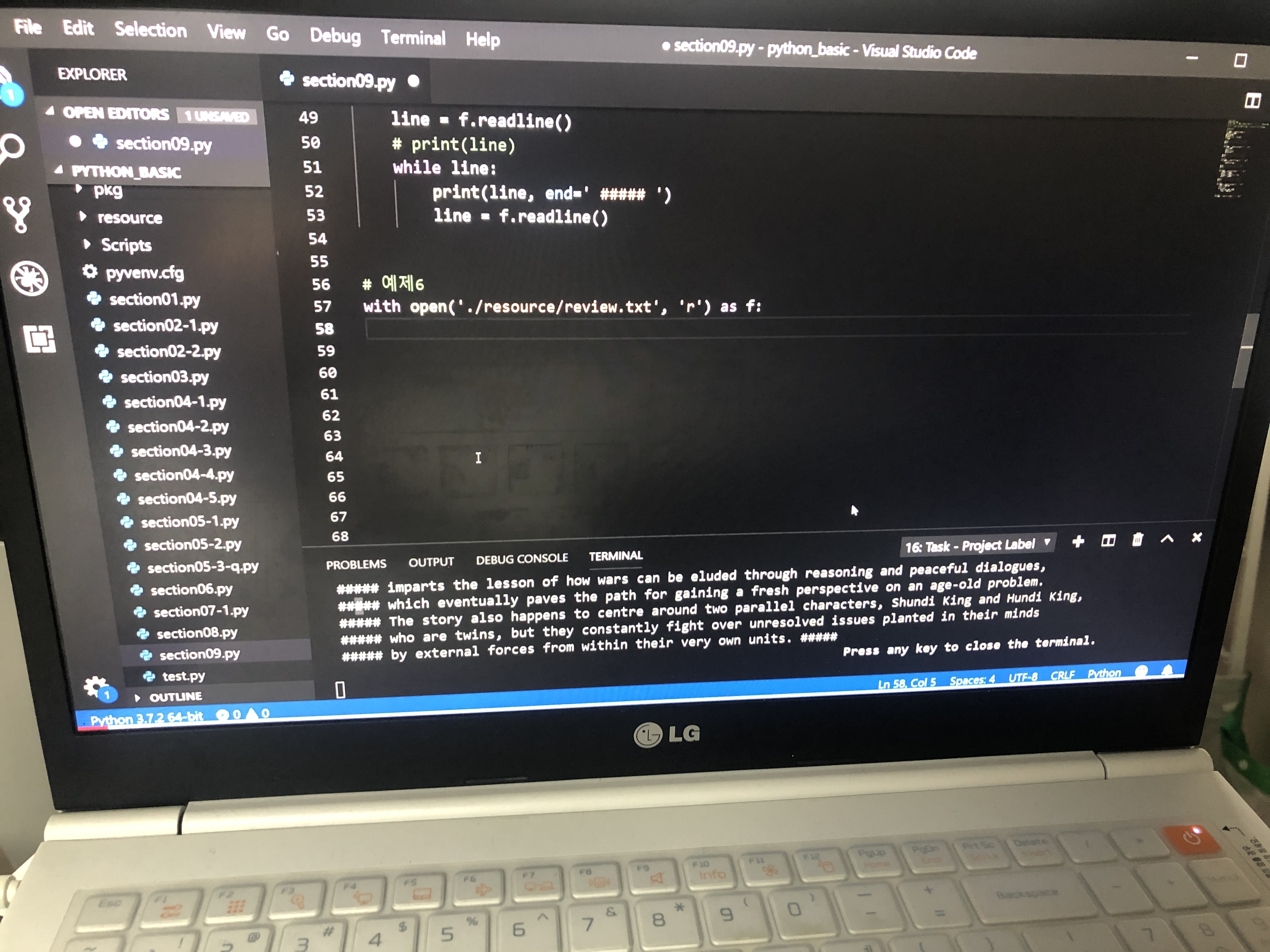
[readlines 함수]
# 예제 6 : readlines
with open('./resource/review.txt', 'r') as f:
    contents = f.readlines() # 리스트로 리턴
    print(contents)
    for c in contents:
        print(c, end= '*****')
[파일내용을 한줄 씩 list로 읽기]
# 예제 7 :
score = []
with open('./resource/score.txt', 'r') as f:
    for line in f:
        score.append(int(line))
    print(score)
print('Average :{:6.3}'.format(sum(score)/len(score)))
[파일 쓰기]
# 파일 쓰기
# 예제 1
with open('./resource/text1.txt', 'w') as f:
    f.write('Niceman!\n')


# 예제 2
with open('./resource/text1.txt', 'a') as f:
    f.write('Goodman!\n')


# 예제 3
from random import randint

with open('./resource/text2.txt', 'w') as f:
    for cnt in range(6):
        f.write(str(randint(0, 50)))
        f.write('\n')
[writelines 함수]
# 예제 4
# writelines : 리스트 -> 파일로 저장
with open('./resource/text3.txt', 'w') as f:
    lists = ['Kim\n', 'Park\n', 'Cho\n']
    f. writelines(lists)
[print 함수로 file에 쓰기]
# 예제 5
# print 함수로 직접 file에 write 하기
with open('./resource/text4.txt', 'w') as f:
    print('Test Contests1!', file=f)
    print('Test contests2!', file=f)
파이썬 예외 처리

[파이썬 예외 처리 기본 사항]
# 예외 종류
# 문법적으로 에러가 없지만, 코드 실행(런타임) 프로세스에서 발생하는 예외 처리도 종유
# linter : 코드 스타일, 문법 체크,


# SyntaxError : 잘못된 문법

# print('Test)
"""
  File "c:\python_basic\section10.py", line 11
    print('Test)
               ^
SyntaxError: EOL while scanning string literal
The terminal process terminated with exit code: 1
"""

# if True
#     pass
"""
  File "c:\python_basic\section10.py", line 20
    if True
          ^
SyntaxError: invalid syntax
The terminal process terminated with exit code: 1
"""


# NameError : 참조변수 없음
a = 10
b = 15

# print(c)
"""
Traceback (most recent call last):
  File "c:\python_basic\section10.py", line 35, in <module>
    print(c)
NameError: name 'c' is not defined
The terminal process terminated with exit code: 1
"""


# ZeroDivisionError : 0 나누기 에러
# print(10 / 0)
"""
Traceback (most recent call last):
  File "c:\python_basic\section10.py", line 46, in <module>
    print(10 / 0)
ZeroDivisionError: division by zero
The terminal process terminated with exit code: 1
"""


# IndexError : 인덱스 범위 오버
x = [10, 20, 30]
print(x[0])
# print(x[3])
"""
10
Traceback (most recent call last):
  File "c:\python_basic\section10.py", line 59, in <module>
    print(x[3])
IndexError: list index out of range
The terminal process terminated with exit code: 1
"""


# KeyError
dic = {'name': 'Kim', 'age': 33, 'City': 'Seoul'}

print(dic.get('hobby'))
# print(dic['hobby'])
"""
None
Traceback (most recent call last):
  File "c:\python_basic\section10.py", line 74, in <module>
    print(dic['hobby'])
KeyError: 'hobby'
The terminal process terminated with exit code: 1
"""


# AttributeError : 모듈, 클래스에 있는 잘못된 속성 사용시에 예외
import time
print(time.time())
# print(time.month())
"""
1591274905.3144002
Traceback (most recent call last):
  File "c:\python_basic\section10.py", line 88, in <module>
    print(time.month())
AttributeError: module 'time' has no attribute 'month'
The terminal process terminated with exit code: 1
"""


# ValueError : 참조 값이 없을 때 발생
x = [1, 5, 9]

# x.remove(10)
"""
Traceback (most recent call last):
  File "c:\python_basic\section10.py", line 103, in <module>
    x.remove(10)
ValueError: list.remove(x): x not in list
The terminal process terminated with exit code: 1
"""
# x.index(10)
"""
Traceback (most recent call last):
  File "c:\python_basic\section10.py", line 111, in <module>
    x.index(10)
ValueError: 10 is not in list
The terminal process terminated with exit code: 1
"""


# FileNotFoundError
# f = open('test.txt', 'r')
"""
Traceback (most recent call last):
  File "c:\python_basic\section10.py", line 122, in <module>
    f = open('test.txt', 'r')
FileNotFoundError: [Errno 2] No such file or directory: 'test.txt'
The terminal process terminated with exit code: 1
"""


# TypeError
x = [1, 2]
y = (1, 2)
z = 'test'

# print(x + y)
"""
Traceback (most recent call last):
  File "c:\python_basic\section10.py", line 137, in <module>
    print(x + y)
TypeError: can only concatenate list (not "tuple") to list
The terminal process terminated with exit code: 1
"""
# print(x + z)
"""
Traceback (most recent call last):
  File "c:\python_basic\section10.py", line 145, in <module>
    print(x + z)
TypeError: can only concatenate list (not "str") to list
The terminal process terminated with exit code: 1
"""
print(x + list(y)) # 정상 출력(형변환)
[예외처리 기본]
# 항상 예외가 발생하지 않을 것으로 가정하고 먼저 코딩
# 그 후 런타임 예외 발생 시 예외 처리 코딩 권장(EAFP 코딩 스타일)


# 예외 처리 기본
# try : 에러가 발생할 가능성이 있는 코드 실행
# except : 에러명 1
# except : 에러명 2
# else : 에러가 발생하지 않았을 경우 실행
# finally : 항상 실행

# 예제 1
name = ['Kim', 'Lee', 'Park']

try:
    z = 'Kim' # Cho 예외 발생
    x = name.index(z)
    print('{} was founded in name'.format(z, x+1))
except ValueError:
    print('Not found - Occured ValueError!')
else:
    print('Ok! else!')

print()
print()

# 예제 2
try:
    z = 'Jin'
    x = name.index(z)
    print('{} was founded in name'.format(z, x+1))
except: # 모든 에러 Handle
    print('Not found - Occured error!')
else:
    print('Ok! else!')
<Output>
Kim was founded in name
Ok! else!


Not found - Occured error!
파이썬에서 파일 읽기와 쓰기 기능을 마무리 하였습니다.
그리고 에러가 발생했을때 프로그램이 죽는 것을 방지하는 예외 처리에 대해서 배워 보았습니다.
다음 시간에도 예외처리에 대해 좀 더 알아보도록 하겠습니다
패스트캠퍼스 파이썬 인강 자세한 내용은 아래 링크를 참고해 주세요!
'Python Basics' 카테고리의 다른 글
| [패스트캠퍼스 수강 후기] 파이썬 인강 자기계발 챌린지 13 회차 미션 (0) | 2020.06.06 |
|---|---|
| [패스트캠퍼스 수강 후기] 파이썬 인강 자기계발 챌린지 12 회차 미션 (0) | 2020.06.05 |
| [패스트캠퍼스 수강 후기] 파이썬 인강 자기계발 챌린지 10 회차 미션 (0) | 2020.06.03 |
| [패스트캠퍼스 수강 후기] 파이썬 인강 자기계발 챌린지 9 회차 미션 (0) | 2020.06.02 |
| [패스트캠퍼스 수강 후기] 파이썬 인강 자기계발 챌린지 8 회차 미션 (0) | 2020.06.01 |


